Lighting a Home Office: A Checklist for Better Video Calls and Focus
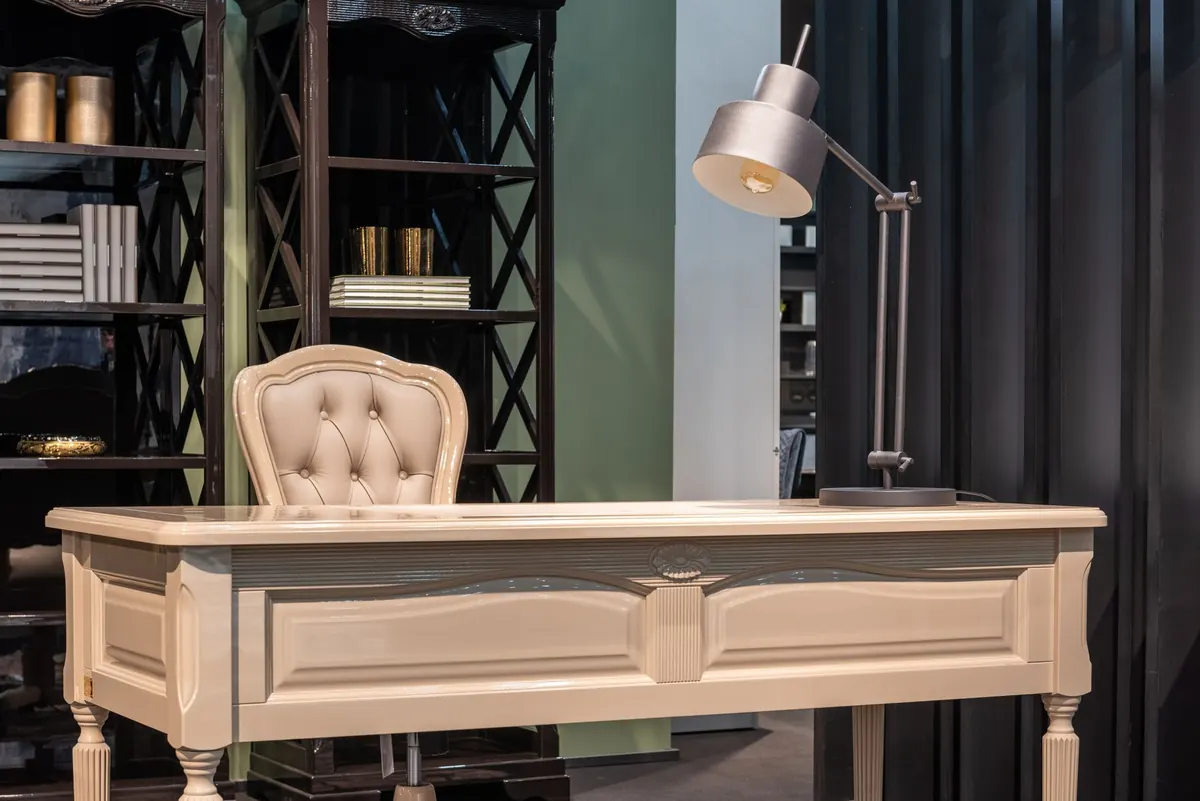
Most home offices are lit for the room rather than for the person sitting in it. The ceiling light becomes a backlight, a window throws a stripe across one eye, and the camera turns you into a silhouette with a glowing rectangle floating behind you. It is not hard to fix. Four things matter: where your key light sits, how bright the background is, what the glare is doing, and what colour the light actually is.
Start With the Key Light, Not the Room
The key light is the one that lights your face. Everything else supports it. In practice, that means the main source should be in front of you, slightly to one side, and a little above eye level. A window directly ahead of you does this job beautifully during daylight: soft, wide, free, and exactly the right size.
With no usable window, use a desk lamp with a diffuser. A bare bulb in a small shade gives a hard, narrow pool of light and a shadow down one side of your nose. A wide, softened lamp — or two lamps at low output rather than one turned up — spreads light across the whole face. If the shade does too little, aim the lamp at the wall and let the bounce do the work.
Positioning that works
- Place the key light at roughly 45 degrees to your face, so one cheek is slightly brighter than the other.
- Keep it above eye level but not directly overhead, which drops shadows into the eye sockets.
- If you wear glasses, look into the camera and check for reflections, then move the lamp further round until they disappear.
- An arm's length or more usually beats a lamp pressed against the monitor.
If your desk faces a busy wall, a larger soft panel on a stand behind the laptop gives the effect of a window without the weather.
Get the Colour Temperature Right
Colour temperature is measured in kelvin, and mixing temperatures is the most common reason a home office looks wrong on camera. Daylight through a window is cool, somewhere around 5000K to 6000K on a bright day. A typical warm desk lamp sits at 2700K to 3000K. Put both on your face at once and the camera has to choose: you end up with one cheek orange, the other blue, or a cast that no white balance setting can rescue.
Two workable approaches:
- Match the daylight. Choose a 4000K to 5000K bulb for daytime work and soften the window with a blind or sheer curtain. The two sources then agree with each other.
- Work warm and let the window light the wall behind you. A 3000K key light with your back to the glass is often the easier setup in winter.
If the label lists a colour rendering index, look for 90 or above; higher CRI means colours, including skin tones, look the way they should. And leave the smart bulb that cycles through pink and green for the evening. Fun after dark, unhelpful at nine in the morning.
Balance the Background
A beautifully lit face against pure black is still a bad video call. The camera reads the whole frame, so a background far darker than your face makes you look overexposed; a background far brighter, such as a midday window, turns you into a silhouette.
The target is simple: your face should be the brightest thing in the frame, but only just. A small lamp on a shelf behind you, a wall light, or a lamp bounced off a side wall will do it. A soft glow behind the monitor also helps your eyes, because the screen is no longer the brightest object in the room.
Then think about what the light falls on. A plain wall is calm; a bookshelf, a plant and a framed picture give depth. Avoid ceiling downlights directly above your chair, which light the top of your head and leave your eyes in shadow. Check the frame before you join a call — a lamp, a window or a mirror in shot will distract people for the next forty minutes.
Control Glare and Reflections
Glare is the light you do not want: bouncing off a glossy desk, catching the edge of a monitor, or shining into your eyes from a window or an unshaded bulb in view. It makes you squint, and squinting on camera reads as either fury or deep suspicion.
- Sit the monitor at a right angle to the window rather than facing it.
- Use a blind, a sheer curtain or frosted film if the desk cannot move.
- Matte surfaces and a monitor tilted slightly away from a nearby lamp cut reflections.
- Replace flickering or buzzing bulbs. The flicker is often invisible and tiring over a full working day.
For eye comfort, look at something roughly six metres away for twenty seconds every twenty minutes, and take a proper break from the screen each hour. If you get persistent headaches, sore eyes or blurred vision after screen work, see an optometrist rather than buying another lamp. Lighting helps; it does not diagnose.
A Short Setup Sequence
Starting from scratch, work in this order. It takes about twenty minutes and saves months of fiddling.
- Decide the window's role. Either face it and use it as your key light, or turn your back to it and treat it as background.
- Add the key light at 45 degrees, above eye level, softened, an arm's length away.
- Set the colour temperature so all the light on your face agrees: 4000K by day, warmer after dark.
- Light the background with a small lamp or a wall wash so it sits just behind your face in brightness.
- Kill the glare. Check the monitor, the desk surface and anything shiny within reach.
- Test on camera. Record thirty seconds, watch it back on a phone as well as the laptop, adjust once, then leave it alone.
Living With It
Good office lighting is boring in the best way. One dominant soft source in front, a gentle background, no glare, and a colour temperature that suits the hour. Set it up once and leave it.
The habits matter as much as the hardware. Keep the ceiling light off during calls if it is fighting your key light. Put the evening lamps on a timer or smart plug so they warm as the daylight fades. Keep a spare bulb of the same temperature in a drawer, because the one that blows always does so on a day with three back-to-back calls. Five minutes before a long call, glance at the frame, move the mug, and check you are not sitting in your own shadow.
Do that and the equipment disappears. You look like yourself, the room looks like a room, and the only thing anyone notices is what you are saying.
Photo: Max Vakhtbovych / Pexels